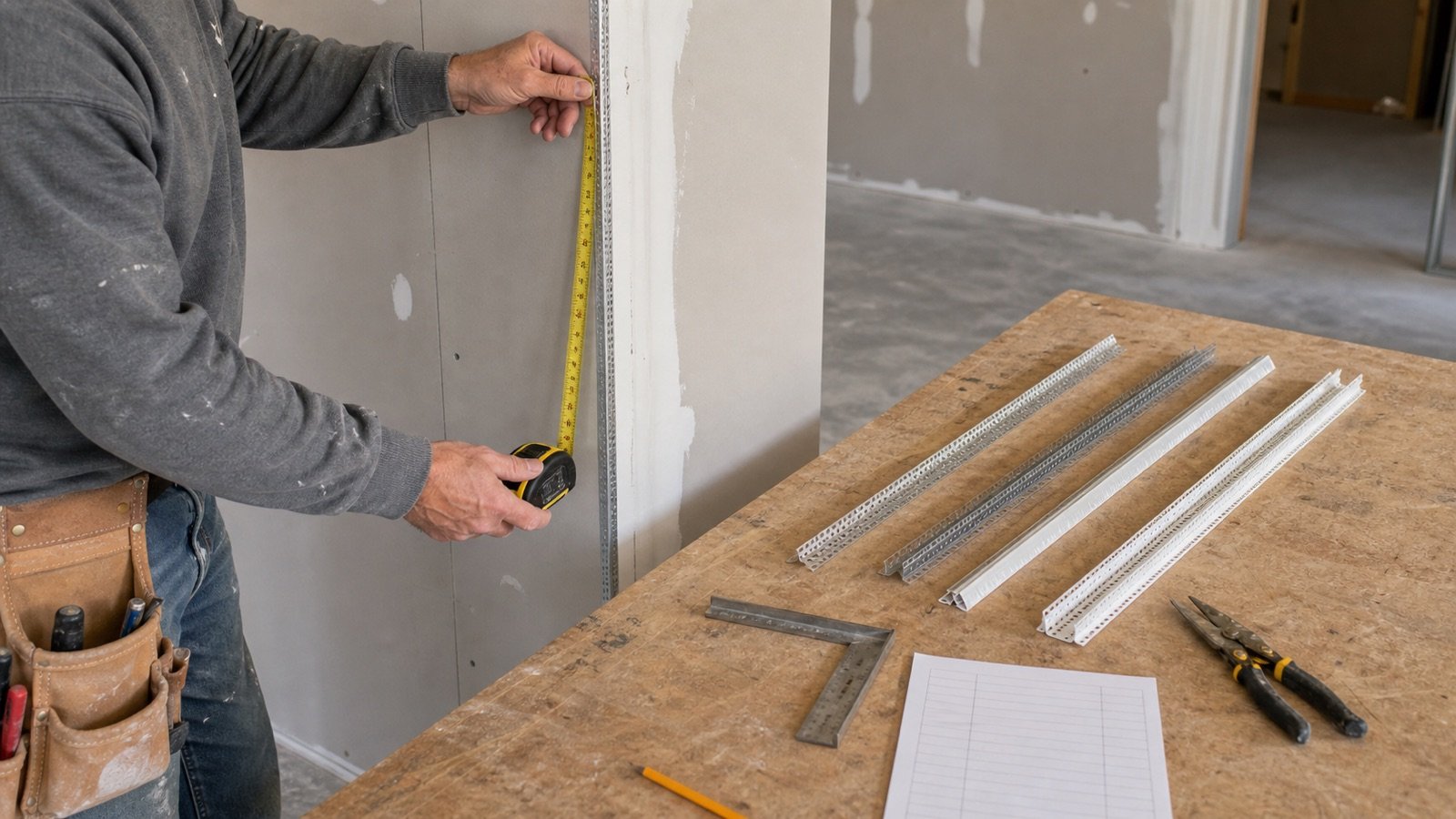
A drywall corner-bead order depends on the number and length of complete trim runs. Total linear length alone can undercount stock when separate corners cannot share an offcut.
This calculator handles equal one-piece runs with an exact cut-capacity check. Use direct mode when a reviewed cutting list already sets the stock-piece count for mixed lengths, approved joints or special profiles.
How many drywall corner-bead pieces should you order?
Count each run under one selected bead or trim product, calculate the full stock pieces needed for those cuts, add a documented full-piece allowance, deduct usable matching stock and round the remaining pieces to the current selling package.
Run another calculation when the profile, material, angle, attachment system, stock length or package changes. The calculator does not select the bead or approve a joint.
What does the Drywall Corner Bead Calculator calculate?
The calculator returns measured bead length, complete equal cuts per stock piece, base stock pieces, unallocated base length, allowance pieces, stock applied, purchase pieces and whole packages.
| Output | Meaning | Record to check |
|---|---|---|
| Measured bead length | Accepted run count multiplied by equal run length, or the direct takeoff length | Elevation or trim ledger |
| Complete cuts per stock piece | Whole equal runs that fit in one stock piece | Declared run and current stock lengths |
| Base stock pieces | Pieces needed before allowance and existing stock | Cutting list and profile identity |
| Unallocated base length | Base stock capacity minus measured runs | Cut layout and usable offcut review |
| Planning pieces | Base pieces plus the entered full-piece allowance | Allowance reason |
| Pieces to purchase | Planning pieces less verified usable matching stock | Stock count and condition |
| Whole packages | Purchase pieces divided by the current package quantity and rounded up | Supplier or manufacturer record |
| Package remainder | Purchased pieces beyond the post-stock purchase need | Returns and future stock ledger |
Which takeoff method should you use?
Choose identical-run mode for repeated straight runs that use the same complete cut length and one selected product. Choose direct mode after a checker approves the piece count for mixed lengths, joints, curves or a detailed cutting list.
| Method | Inputs | Use | Boundary |
|---|---|---|---|
| Identical one-piece runs | Run count, run length and stock length | Repeated vertical corners, short returns or straight trim runs | Every run must fit in one stock piece |
| Approved direct piece count | Checked pieces, measured length and stock length | Mixed runs, approved joints, special cuts or a completed cutting list | The calculator accepts the approved layout rather than creating it |
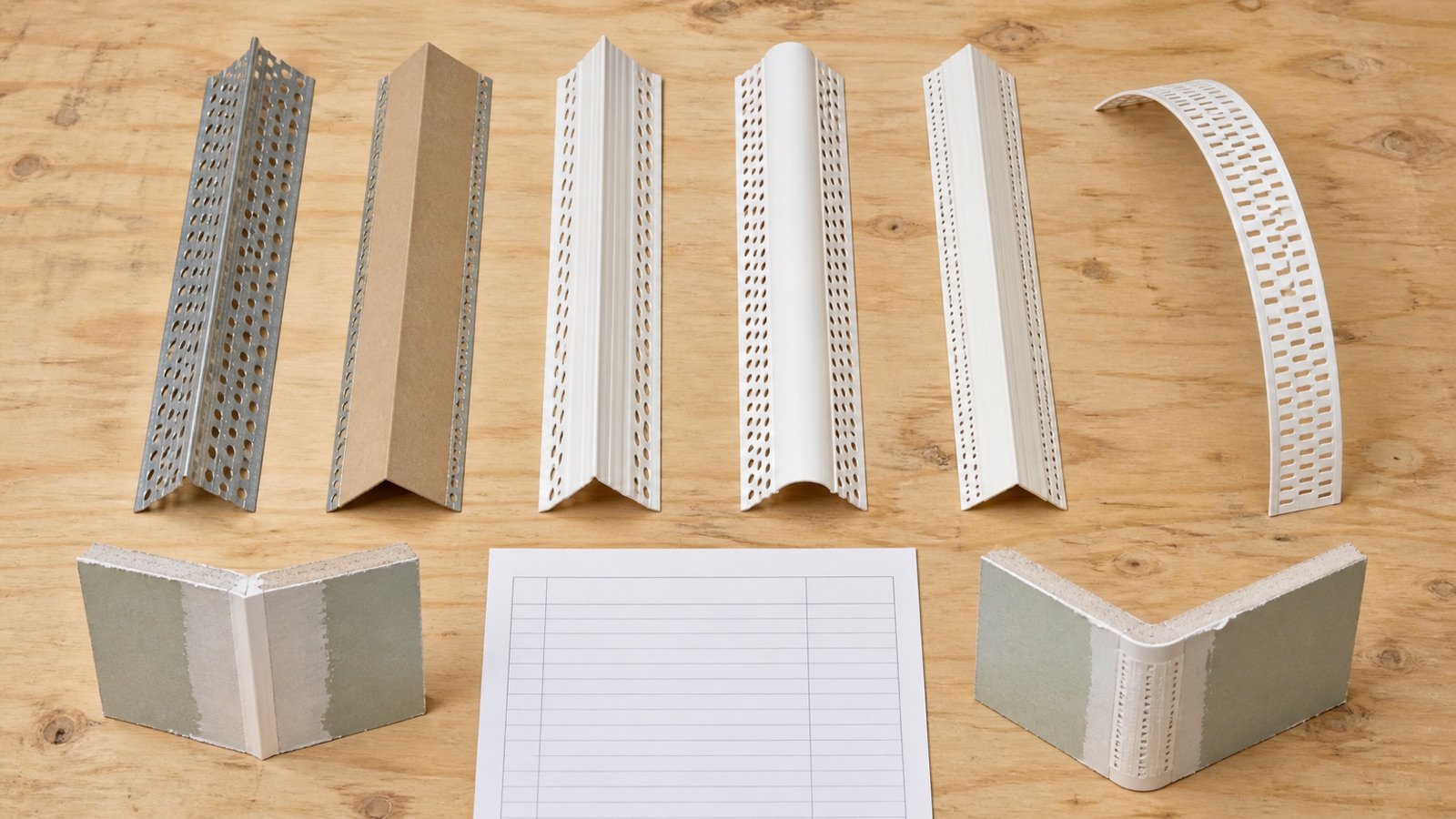
Keep outside 90-degree bead, bullnose, offset, flexible bead, reveal trim, L-trim, J-bead and other profiles in separate records. Similar lengths do not make those products interchangeable.
Why can total linear length undercount stock pieces?
Linear division assumes that all remaining lengths can be combined without geometric limits. A complete corner run cannot use 2 separate offcuts unless the selected product and project detail permit a joint.
Example: 3 vertical corners each measure 8 ft and the selected stock is 10 ft. Total length is 24 ft, so ceiling(24 ÷ 10) = 3 pieces. The result works because each 8 ft run receives one full stock piece.
Now change the run length to 6 ft. Total division gives ceiling(18 ÷ 10) = 2, but one 10 ft piece supplies only one complete 6 ft run. Identical-run mode calculates floor(10 ÷ 6) = 1 complete cut per stock piece and returns 3 pieces.
The 12 ft of leftover stock across those 3 pieces is not automatically one usable 12 ft piece. Record each physical offcut length before assigning it to another run.
What formulas does the calculator use?
Identical-run mode packs equal complete cuts into each stock piece without joining separate remnants. Direct mode accepts the approved stock-piece count and checks that its total length can contain the measured bead length.
Measured bead length = identical runs × length of each run
Complete cuts per stock piece = floor(stock-piece length ÷ run length)
Base stock pieces = ceiling(identical runs ÷ complete cuts per stock piece)
Base stock length = base pieces × stock-piece length
Unallocated base length = base stock length − measured bead length
Allowance pieces = ceiling(base pieces × allowance ÷ 100)
Planning pieces = base pieces + allowance pieces
Pieces to purchase = maximum(0, planning pieces − usable matching stock)
Whole packages = ceiling(pieces to purchase ÷ pieces per current package)
Package remainder = purchased pieces − pieces to purchase
The calculation treats entered lengths as finished cut lengths. Add the product-specific trim or cutting requirement to the measured run before entry when the accepted method needs it.
Worked example: 24 short equal runs
A detail contains 24 straight runs at 2.4 ft each. The selected stock piece is 10 ft. The estimator records a 10% full-piece allowance, 1 usable matching stock piece and 5 pieces per declared selling package.
- Measured bead length: 24 × 2.4 = 57.6 ft.
- Complete cuts per stock piece: floor(10 ÷ 2.4) = 4.
- Base pieces: ceiling(24 ÷ 4) = 6.
- Base stock length: 6 × 10 = 60 ft.
- Unallocated base length: 60 − 57.6 = 2.4 ft.
- Allowance: ceiling(6 × 10%) = 1 piece.
- Planning pieces: 6 + 1 = 7.
- Purchase pieces: 7 − 1 = 6.
- Exact package ratio: 6 ÷ 5 = 1.2.
- Whole packages: ceiling(1.2) = 2.
- Purchased pieces: 2 × 5 = 10.
- Package remainder: 10 − 6 = 4 pieces.
The 2.4 ft unallocated base length belongs to the cut plan. The 4-piece package remainder belongs to the purchase record. Combining them would mix length waste with unopened or unused full pieces.
Worked example: direct takeoff with stock
A checked mixed-run takeoff approves 13 stock pieces for 116 ft of one 10 ft product. The stock capacity is 130 ft, leaving 14 ft unallocated across the physical pieces. The project has 3 matching pieces in usable stock and the supplier package contains 10 pieces.
With 0% allowance, the purchase need is 13 − 3 = 10 pieces. One 10-piece package closes the order with 0 package remainder.
The calculator does not rearrange the mixed cuts. The checked direct takeoff remains responsible for every complete run and any permitted joint.
How should corner-bead stock lengths be verified?
Copy the stock length from the exact manufacturer product and current supplier item. Product family names do not prove that every profile has the same length or carton quantity.
Trim-Tex currently lists several lengths and product-specific box counts for its named Corner Bead and Archway options. Its Jumbo product page shows another box count. USG's paper-faced metal brochure lists different length sets across outside-corner profiles. These records demonstrate product variation and do not create universal defaults.
Record manufacturer, product name, stock number, profile, angle or radius, material, stock length, pieces per selling package, market and check date. Confirm local availability before ordering.
How should feet and metres be used?
Select one length unit and enter the measured run and stock piece in that unit. The piece and package calculations stay unchanged when both lengths describe the same geometry.
NIST Handbook 44 Appendix C defines 1 international foot as exactly 0.3048 m. A 10 ft stock piece converts to 3.048 m. A seller's 3 m product is a different stock length, not a rounded label for 10 ft.
Convert source records only for calculation checks. Use the actual locally supplied product length in the order.
How should usable stock be checked?
Deduct stock after the base and allowance pieces are set. Each stock piece must match the selected product and remain long enough for the intended cut.
- Match manufacturer, stock number, profile, angle, material and attachment system.
- Measure opened or cut pieces individually.
- Exclude bent, dented, cracked, rusted, contaminated or unidentified material.
- Keep full stock pieces separate from offcuts in the ledger.
- Cap the deduction at the planning need.
Enter only full matching pieces in the stock field. Use direct mode when accepted offcuts reduce the new stock-piece count.
How should allowance and package remainder be recorded?
The allowance field adds full stock pieces before stock deduction. Set it to 0% until the project record supports extra pieces for damage, handling, rejected cuts, site logistics or deliberate spares.
Package rounding adds more pieces because the seller supplies a fixed increment. Check that remainder before adding more allowance. A project that needs 6 pieces from a 10-piece package already buys 4 full pieces beyond the post-stock need.
Retailers may sell individual sticks while distributors quote cartons. Enter 1 piece per package for individual sales. Record another calculation when package quantities or products differ.
Which conditions require a separate calculation?
| Condition | Separate record |
|---|---|
| Outside 90 and offset angle | Selected profile and each run |
| Square and bullnose corners | Radius, transition pieces and stock |
| Straight and flexible products | Straight stock pieces or roll quantity |
| Metal, paper-faced metal, vinyl or composite | Exact product and attachment instructions |
| One-piece and approved jointed runs | Joint detail and direct cutting list |
| Full-height corners and short returns | Run-length group or mixed direct takeoff |
| Different stock or package lengths | Supplier item and package calculation |
| Interior and exterior exposure | Approved product and environmental scope |
Does this calculator estimate fasteners or joint compound?
Use the selected bead's current installation instructions to determine adhesive, compound, staples, screws, nails or other attachment materials. Product and method changes can alter those quantities.
The Drywall Joint Compound Calculator uses a named product coverage record for broad finishing quantities. It does not supply a universal corner-bead compound rate. Keep bead bedding, fill coats and full-surface work within the selected system record.
Schedule the accepted bead rows with panels, tape, compound and fasteners in the drywall material takeoff worksheet.
Which corner-bead estimating mistakes change the order?
- Dividing total length by stock length without checking complete-run cuts.
- Counting inside taped corners as outside corner bead.
- Using one product row for square, bullnose, offset and flexible profiles.
- Joining a run without product and project approval.
- Assuming every offcut can serve another corner.
- Entering a nominal stock length from an old listing.
- Using one carton count for another product or market.
- Deducting damaged or mismatched stock.
- Applying allowance after package rounding.
- Counting package remainder as more allowance.
- Estimating fasteners from a method that belongs to another bead.
What should the corner-bead quantity record contain?
- Project, room, elevation, detail and drawing revision.
- Run ID, location, finished length and straight or curved condition.
- Manufacturer, product, stock number, profile, angle, material and attachment method.
- Stock length, complete cuts per stock piece and cutting-list reference.
- Base pieces, unallocated lengths and approved offcut credits.
- Allowance reason, usable matching stock and purchase pieces.
- Supplier, package quantity, quote date, packages and remainder.
- Prepared by, checked by, date and unresolved joints or transitions.
Safety, product and specification limits
The calculator estimates straight stock pieces and packages. It does not select or approve a profile, material, angle, radius, transition, attachment method, corrosion exposure, control-joint condition, finish level or fire- and sound-rated assembly.
Follow current product instructions for measurement, cutting, attachment, compound, curing, sanding, personal protective equipment and handling. Sharp metal edges, cutting tools, adhesives, overhead work and sanding dust need task-specific controls.
Return to the Drywall planning hub for panel, tape, compound and screw tools. Review the calculation methodology or report a formula or source issue through the corrections route.
Sources and source scope
- Trim-Tex Corner Bead and Archway product options: named stock numbers, lengths and pieces per box for that product family.
- USG Sheetrock Paper-Faced Metal Bead and Trim brochure: named outside-corner profiles, dimensions, uses and available length sets.
- NIST Handbook 44, 2026 Appendix C: exact international-foot and metre relationship.
Source scope: manufacturer sources support their named products and listed package records. NIST supports the unit relationship. These sources do not approve this calculator's examples, select an allowance, verify stock, permit a joint or establish a current local price or supply.
Review note: Saleem Sial owns the research and editorial record. Source checks, independent formula fixtures, interface tests, build validation, link crawl, schema review and rendered QA form the internal publication gate. Waseem Sial, External Reviewer and Engineer, is listed for ongoing external review; no completed review date is claimed.